Setting up an airtag dog collar combo is genuinely useful once it’s done right, but “done right” means a lot more than clipping it on and hoping. Here’s how we’d actually attach one so it stays put, and what tracking it with your phone can and can’t do once it’s out there.
Why People Use an AirTag Instead of a Dedicated Pet Tracker
The appeal is pretty straightforward: most people already own an AirTag or two for keys and bags, and buying one more is a lot cheaper than a subscription-based GPS collar. There’s no monthly fee involved either, which matters if you’re just trying to add a backup layer of “find my dog” coverage rather than build a full containment system. It’s worth being upfront, though, that Apple never designed or marketed the AirTag as a pet tracking device, and the way it works reflects that — it’s built to help you find lost items within range of other Apple devices, not to give you a live, continuously updating dot on a map the way a purpose-built GPS collar does.
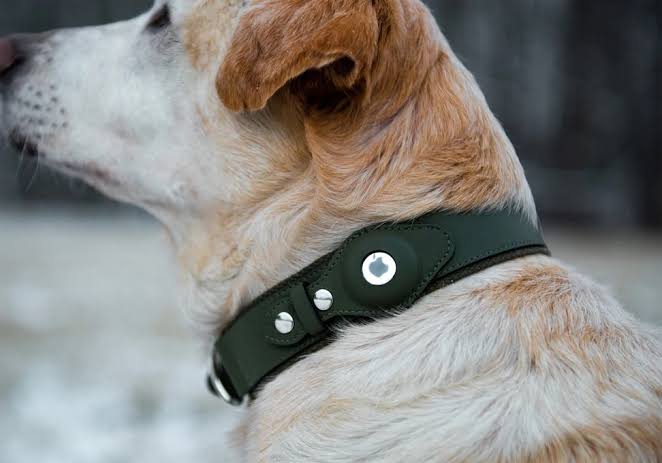
How to Actually Attach It So It Doesn’t Fall Off
The AirTag itself has no built-in hole or loop — that’s the entire reason attaching it correctly takes more thought than it looks like it should. A loose keyring threaded through a collar’s D-ring works for about as long as ours did, which is to say, not very. The gap in a standard keyring flexes open under the right angle of tugging, brushing through tall grass, or a determined scratch, and once it’s open, the AirTag just slides right off.
Choose the right case
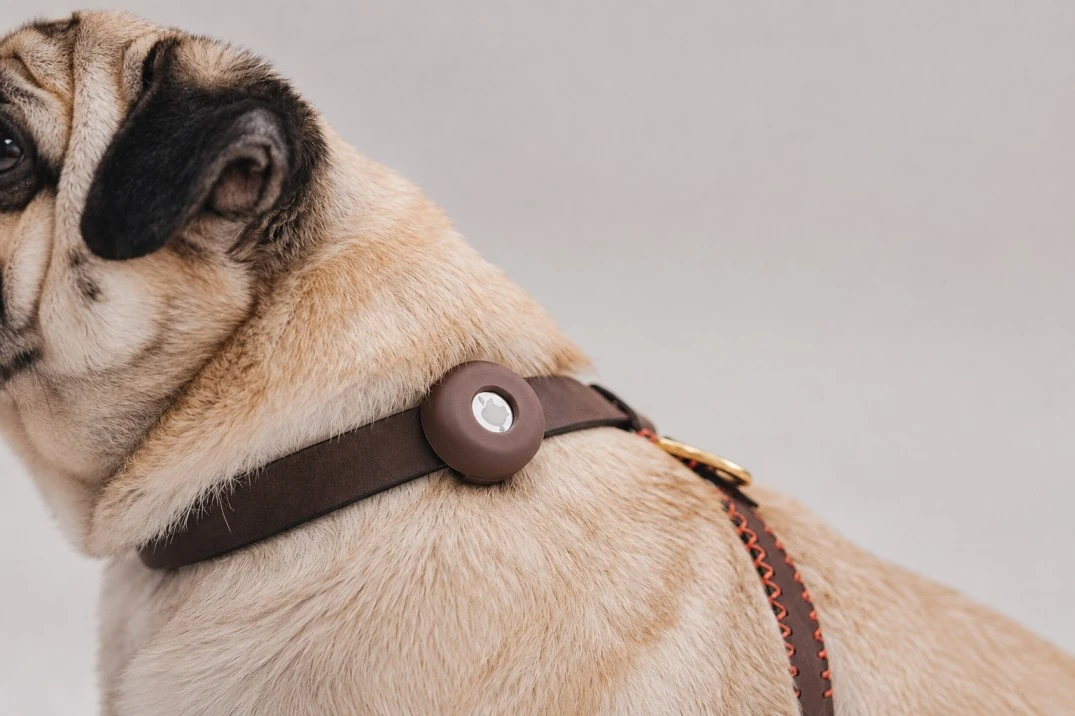
What actually holds up is a dedicated holster-style case — a silicone or hard-shell pocket the AirTag snaps into, with its own reinforced loop molded as part of the case rather than a separate ring. That distinction matters more than it sounds like it should: a loop that’s part of one solid piece of material has nothing to pry open, unlike a keyring’s split seam. Waterproof versions are worth the small extra cost if your dog swims, plays in sprinklers, or just exists in a climate with real rain, since a standard AirTag isn’t fully submersible and only carries a splash-and-dust resistance rating, not deep water protection.
Some owners go a step further and sew a small fabric pocket directly into the collar itself, which removes the “external attachment” problem entirely — nothing dangles, nothing has a seam to pop open, and it sits flush against the collar material. It’s more effort upfront than buying a case, but it’s close to the most secure option available if your dog is a determined chewer or a rough player with other dogs.
How to Track It With Your Phone
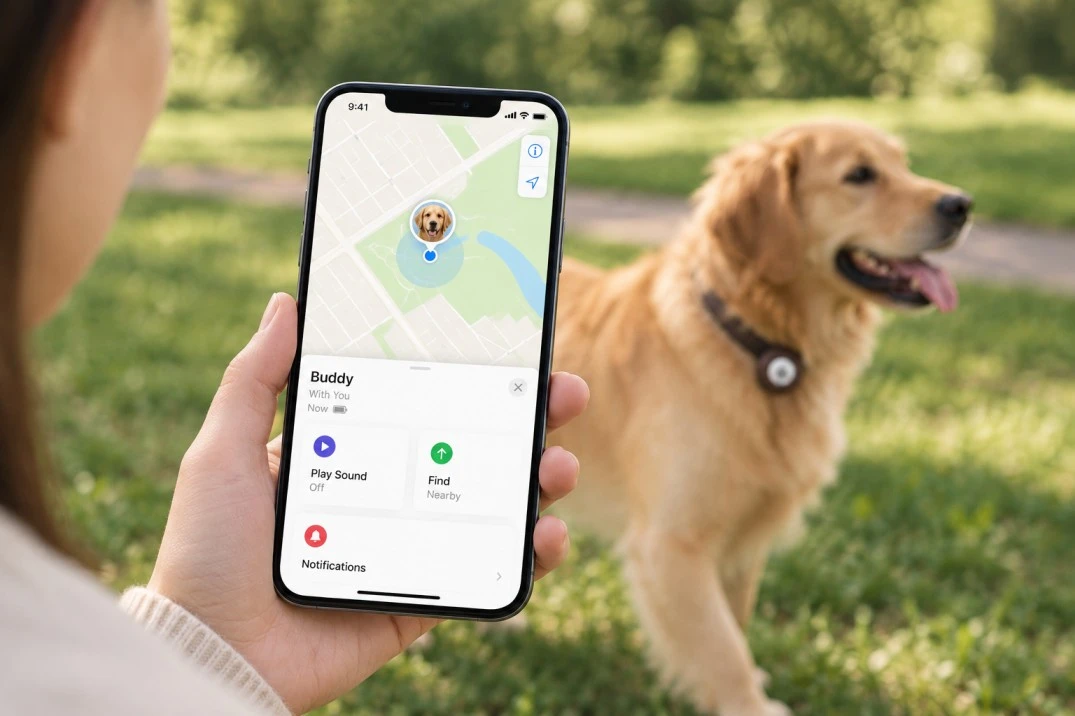
Once it’s attached, tracking runs entirely through Apple’s Find My app, which comes preinstalled on any iPhone. After registering the AirTag to your Apple ID (a quick setup that just involves holding the AirTag near your phone and following the prompts), it shows up as an item under the Find My app’s “Items” tab, right alongside any keys, bags, or other AirTags you’ve already got registered.
How AirTag Location Tracking Works
1. Attach the AirTag to your dog’s collar.
Once your dog is wearing the AirTag, you can use the Find My app on your iPhone to track it.
2. Check the AirTag’s last known location.
The Find My app displays the AirTag’s last known location on a map.
3. Nearby iPhones detect the AirTag.
When the AirTag comes within Bluetooth range of another iPhone, that iPhone can detect it even if it doesn’t belong to you.
4. The Find My network sends the location to you.
The nearby iPhone anonymously and privately relays a signal indicating that the AirTag was spotted, allowing you to see its updated location in the Find My app.
5. Tracking works best in areas with many iPhones.
Because the system depends on nearby iPhones, AirTags generally work better in cities and suburbs with lots of people and iPhones. Location updates may be less frequent in rural or sparsely populated areas.
6. Use Precision Finding when your dog is nearby.
If your dog is close enough to your own iPhone, newer iPhone models (iPhone 11 and later) can use Precision Finding to provide directional and distance information.
7. Use Precision Finding for the final part of the search.
The direction-and-distance guidance can be especially useful when you already know your dog is nearby and need help locating them within the last few hundred feet.
What It Can’t Do
It’s worth being clear-eyed about the gap between this setup and an actual GPS pet tracker before you rely on it for anything serious. There’s no live, moving-dot tracking the way cellular GPS collars provide — you’re seeing a snapshot from whenever the tag last pinged off a nearby device, which could be recent or could be from hours ago if your dog wandered somewhere with no iPhones around at all.
It also has zero geofencing or containment features on its own; it’s a find-it-after-the-fact tool, not a boundary system. If what you actually need is real-time tracking or an escape-prevention setup, a dedicated GPS collar or a GPS dog fence covers that gap in a way an AirTag simply isn’t built to.
A Safety Note Worth Reading
The AirTag runs on a standard CR2032 coin battery, which is a real choking and chemical-burn hazard if a dog manages to chew through the case and get to it — another point in favor of a genuinely sturdy, bite-resistant case rather than the cheapest option available. It’s also worth checking the case periodically for cracks or looseness, the same way you’d check any collar attachment, rather than assuming it’s secure forever once it’s on.
The Bottom Line
An AirTag dog collar setup is worth doing if you go in with realistic expectations — it’s a low-cost, no-subscription safety net that works best in populated areas, and it lives or dies on how well the case actually holds up to real dog behavior. Get the attachment right, understand what the tracking can and can’t show you, and it’s a genuinely useful extra layer, just not a substitute for a dedicated tracker if that’s what your situation actually calls for.
Frequently Asked Questions
Does an AirTag work as well as a real GPS dog tracker?
Not quite — it depends on nearby iPhones to relay location rather than using continuous cellular GPS, so coverage is inconsistent in rural or low-iPhone-density areas. It’s a reasonable backup layer, not a full replacement for a dedicated GPS collar if real-time tracking matters to you.
Is it safe to put an AirTag on my dog’s collar?
Generally yes, in a secure, well-fitted case, though it’s worth watching for signs your dog is trying to chew at it and swapping to a more bite-resistant case if that happens.
How do I stop an AirTag from falling off a collar?
Use a dedicated holster case with a molded, seamless loop rather than a standard keyring — the keyring’s split seam is almost always what fails first.
Does the AirTag make noise if my dog runs off?
It can play a sound through its built-in speaker when triggered from the Find My app, though it’s not loud enough to rely on over any real distance or outdoor noise, so it’s best treated as a close-range confirmation tool rather than a way to locate a dog that’s far away.
You might interested in wireless dog fence
Always supervise a new collar attachment for the first few days to make sure your dog isn’t chewing at it, and replace any case showing cracks or looseness right away.